

Stay In
Flow
A Figma Navigation Tool That Saves Time
Leaper is a free macOS companion app and Figma plugin that lets you jump between saved locations in large Figma files.
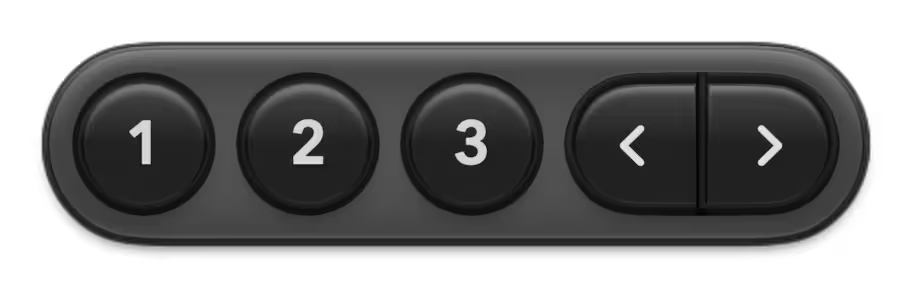
A small floating panel appears when Figma is active, so you can navigate frames, components, and key sections without breaking flow.
Because it runs outside Figma, Leaper can use global hotkeys and gestures — a faster Figma productivity tool than a plugin alone.
First-Time Open
If macOS blocks it (because it is not notarised)
- Download Leaper
- Move it to Applications
- Open it (you will likely see a security warning)
- Go to System Settings > Privacy & Security
- Click Open Anyway for Leaper
- Open it again
Why this happens: notarisation is part of Apple's distribution pipeline.
Leaper is not notarised yet, so macOS treats it as an "unknown developer" app.
Trust/Transparency
Leaper is designed to be small, local, and boring in a good way.
What it uses Accessibility for
Leaper uses Accessibility to find and trigger Figma's menu actions (save/jump/clear). That is how the panel can drive Figma without you opening menus.
Leaper does not
- read your Figma files
- capture your screen
- record keystrokes or mouse input
- upload your document content anywhere
Network behavior
- There are no background network calls in the app.
- Leaper only opens external links if you click them.
FAQs
Q. Why only 3 slots?
A. Speed > complexity. Leaper is meant to be muscle memory, not a bookmark manager.
Q. Does it work on Figma in the browser?
A. No. Desktop app only.
Q. Why does it need Accessibility permission?
A. macOS requires it for any app that automates another app's UI (like triggering menu actions).
Q. Will you notarise it?
A. Yep, once we have a few dollars to pony up for the Apple Developer program. For now, "Open Anyway" is the tradeoff.
Q. How does Leaper work?
A. Leaper runs as a small macOS companion app and uses a tiny floating panel plus global hotkeys and gestures to jump between saved locations in Figma instantly.
Q. Why not just use a Figma plugin?
A. Because Leaper runs outside Figma, it can use global hotkeys and gestures and stay available no matter what you have focused, which a plugin alone cannot do.